
NopFashion Theme + 15 Plugin Bundle for NopCommerce
NopBeauty Theme + 12 Plugin Bundle for NopCommerce
NopNoor Theme + 16 Plugin Bundle for NopCommerce
NopGadget Theme + 18 Plugin Bundle for NopCommerce
NopEthnic Theme + 17 Plugin Bundle for NopCommerce
NopFurniture Theme + 19 Plugin Bundle for NopCommerce
NopPharma Theme + 16 Plugin Bundle for NopCommerce
NopVogue Theme + 17 Plugin Bundle for NopCommerce
NopGadence Theme + 18 Plugin Bundle for NopCommerce
BSS EU GDPR Cookie Consent
Created on: Mar 05, 2026
BSS EU GDPR Cookie Consent Plugin helps nopCommerce store owners manage cookie permissions easily while staying compliant with major privacy regulations such as GDPR and CCPA. The plugin displays a clear and fully customizable consent banner, allowing visitors to review, accept, or reject cookies and update their preferences anytime. With flexible settings for banners, buttons, and modals, administrators can tailor the plugin to match their store’s design and branding while maintaining transparency and building customer trust.
PRE-REQUISITES
- The plugin requires you to install the BSS Core plugin first.
INSTALLATION
- Go to the Order Details Page and Download plugin package.
- Go to Administration → Configuration → Local plugins
- Within the bundle, you get all the required files, including BSS.Core
- Upload the zip files using the ‘Upload plugin or theme’ button
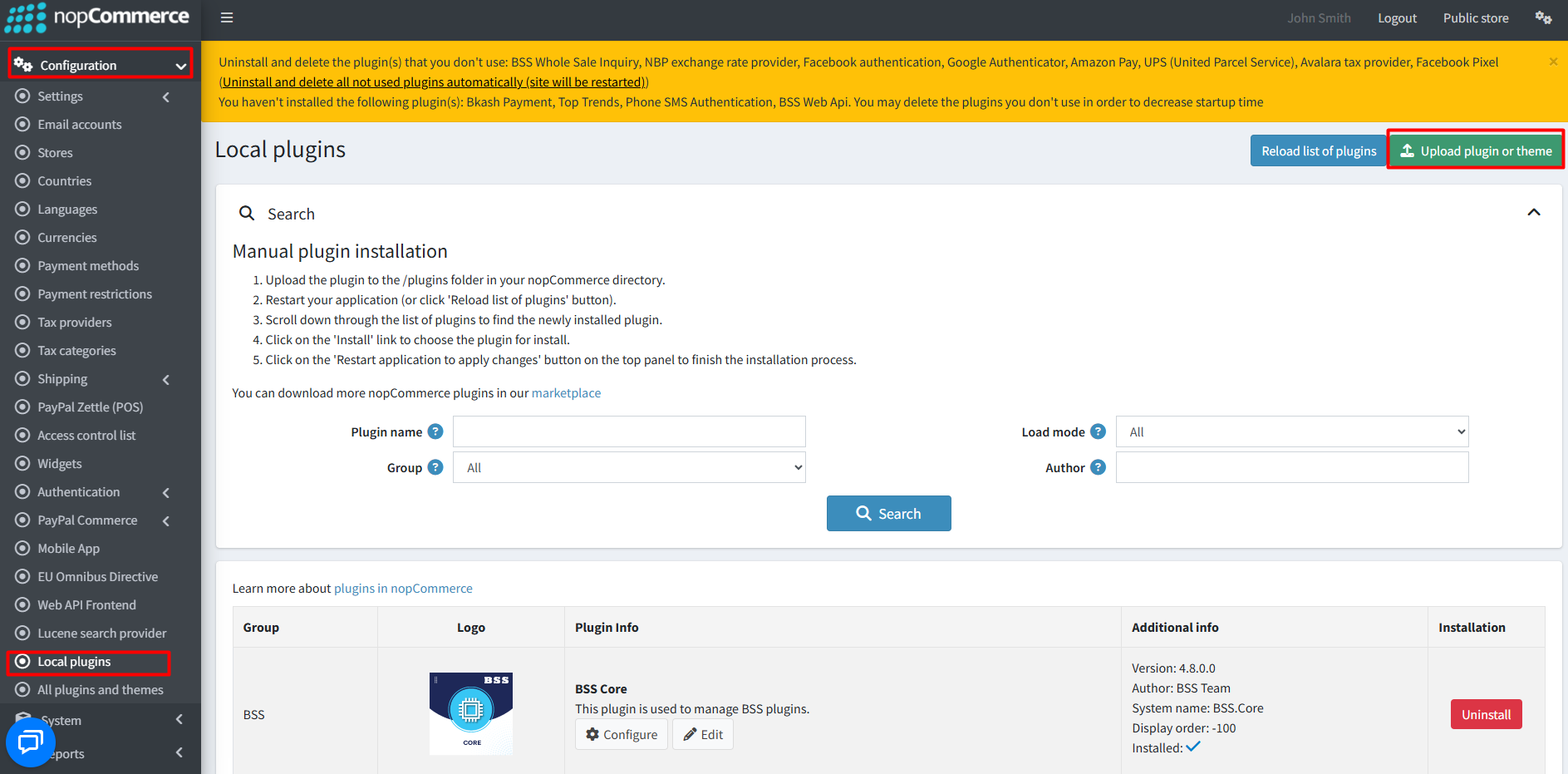
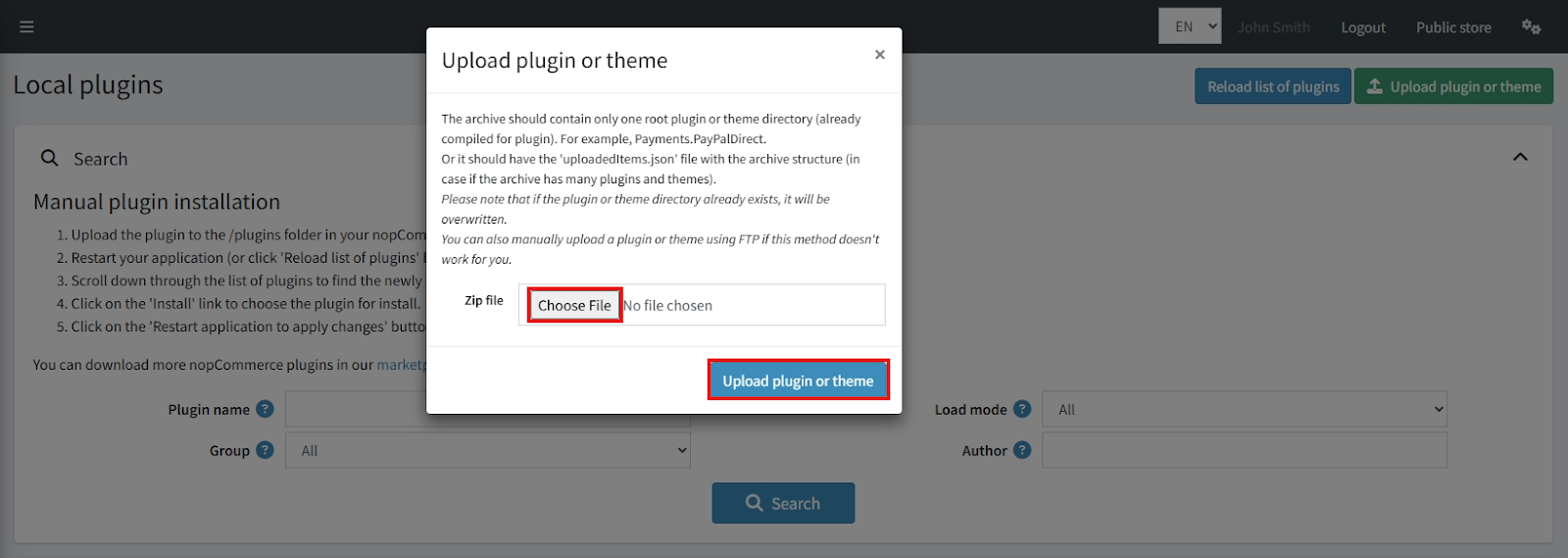
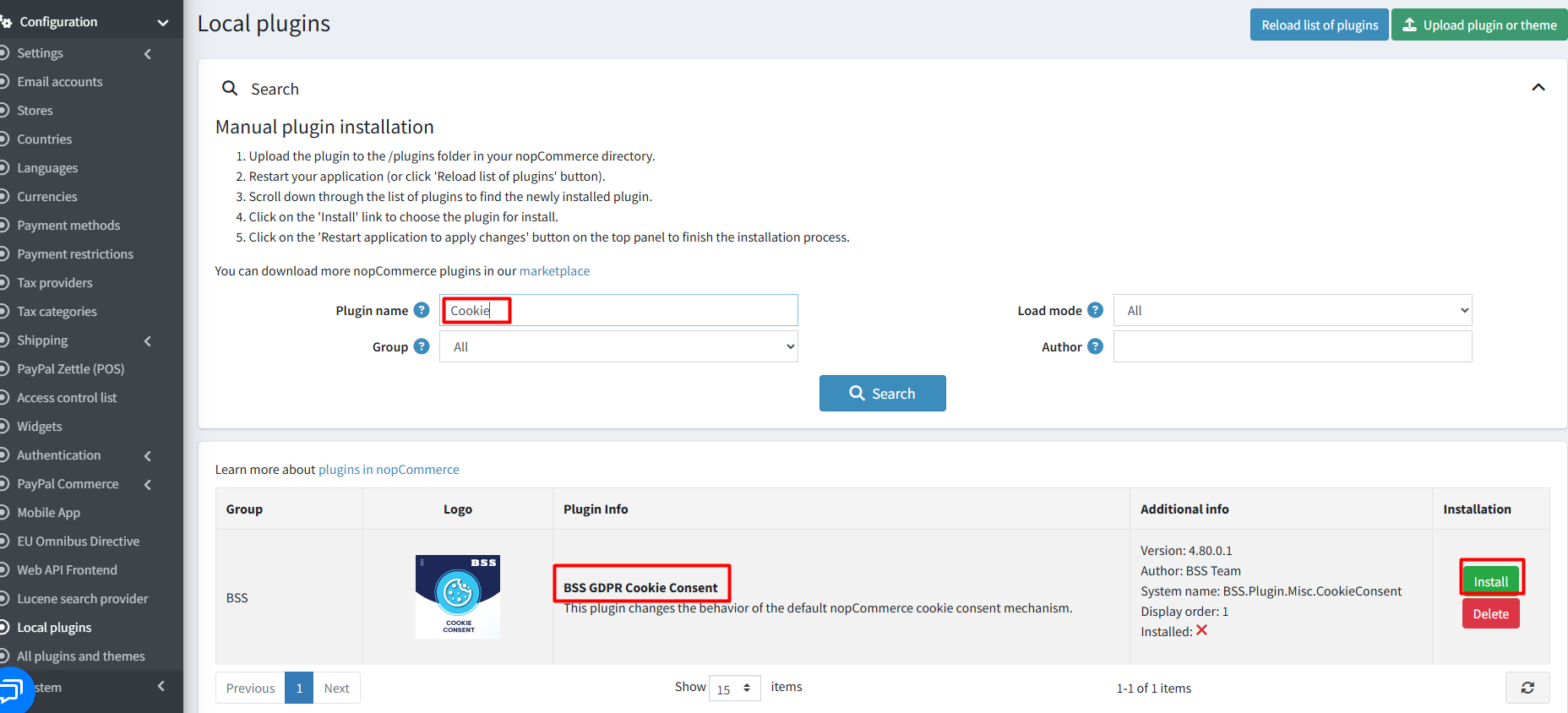
- After uploading, reload the ‘list of plugins’ and install the ‘BSS Core’ Plugin first. Then search and install ‘Cookie Consent’.
- To make the plugin functional, restart the application.

Recommendation: Go to > App Settings. If you find JavaScript bundling and minification, CSS bundling and minification are checked, then uncheck these two options and disable them.

CONFIGURATION
- Go to Admin → BSS → Plugins → Cookie Consent → Configuration , enter the License string and save. Then clear cache.
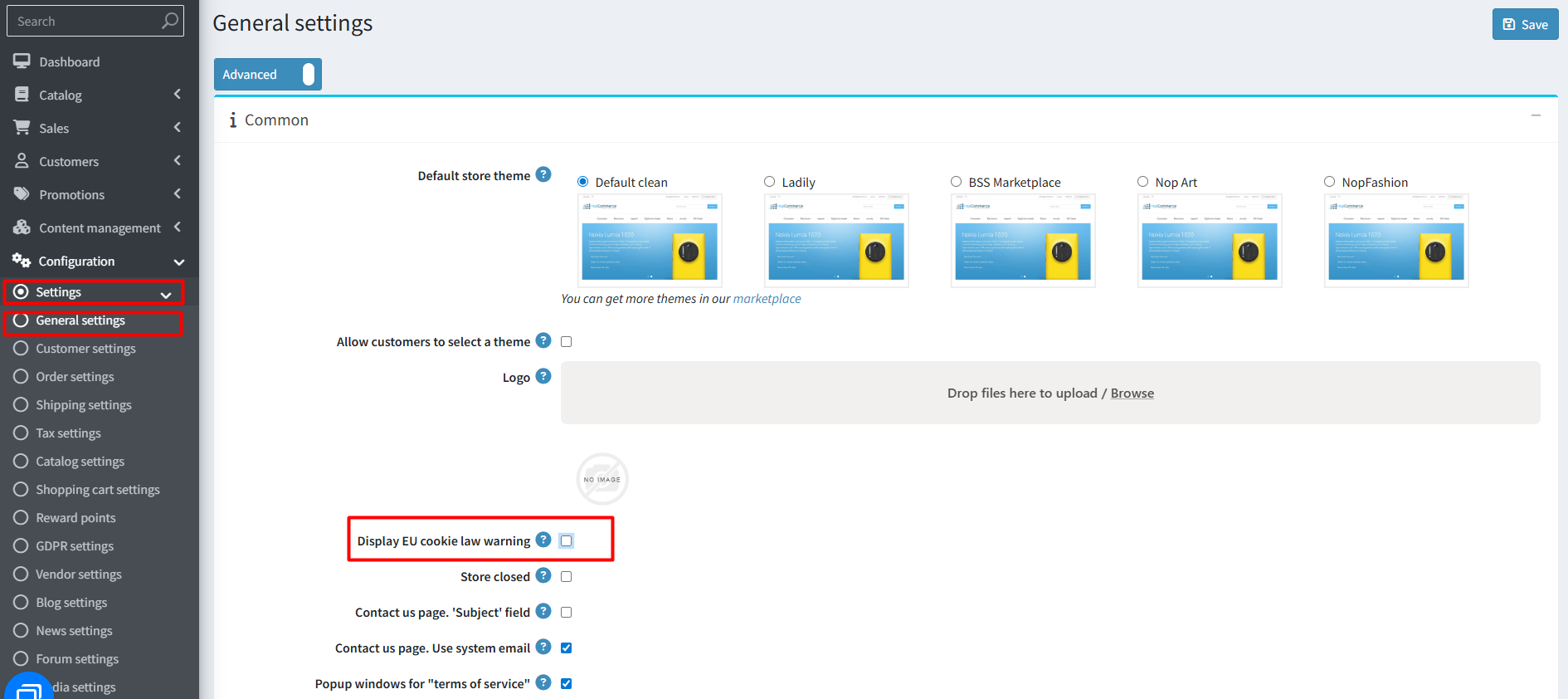
- Go to Settings → General Settings → enable Display EU cookie law warning. Customers will now see a warning box.
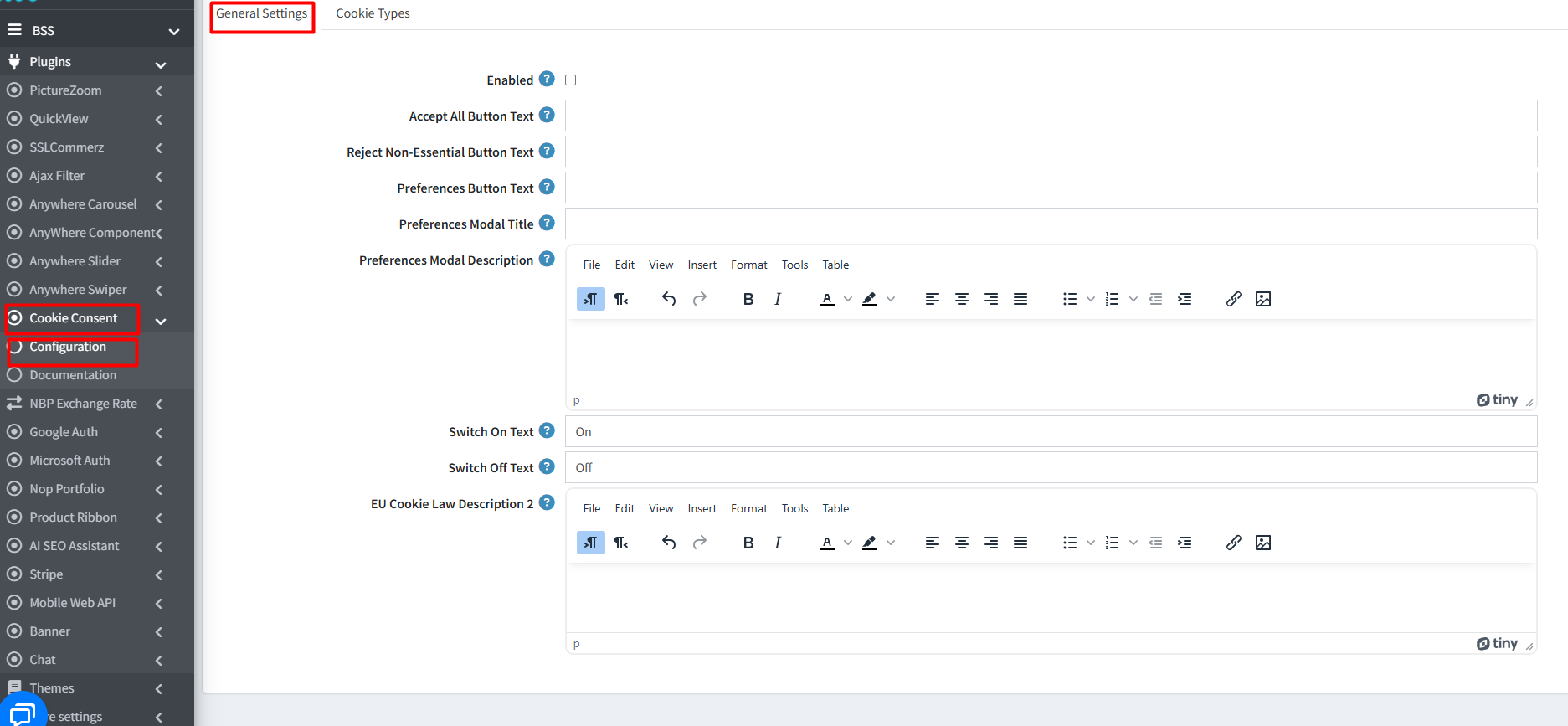
- Go to BSS → Plugins → Cookie Consent → Configuration to set all cookie consent settings.
GENERAL SETTINGS
- Check the box to enable or disable cookie consent banner
- Accept All Button Text: Enter text for the Accept All button
- Reject Non-Essential Button Text: Enter text for the Reject Non-Essential button
- Preferences Button Text: Set text for the Preferences button
- Preferences Modal Title: Set title for the cookie preferences modal
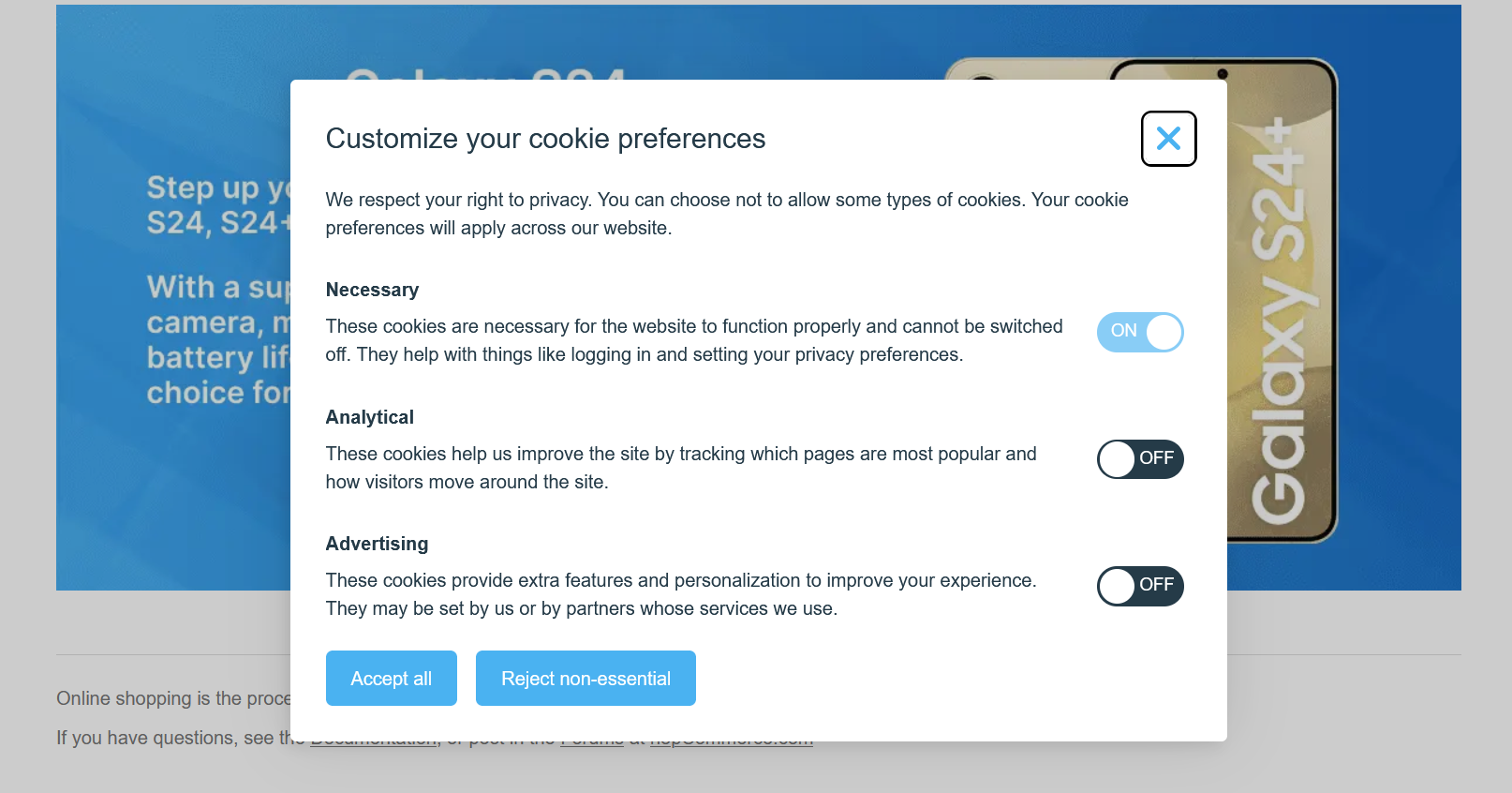
- Preferences Modal Description: Set you description text for the cookie preference modal, you can format text, insert images, and create tables using intuitive tools
- Switch On Text: Enter text to be displayed when a cookie type switch is “On”
- Switch Off Text: Enter text to be displayed when a cookie type switch is “Off”
- EU Cookie Law Description 2: Second description text displayed on the cookie consent banner
COOKIE TYPES
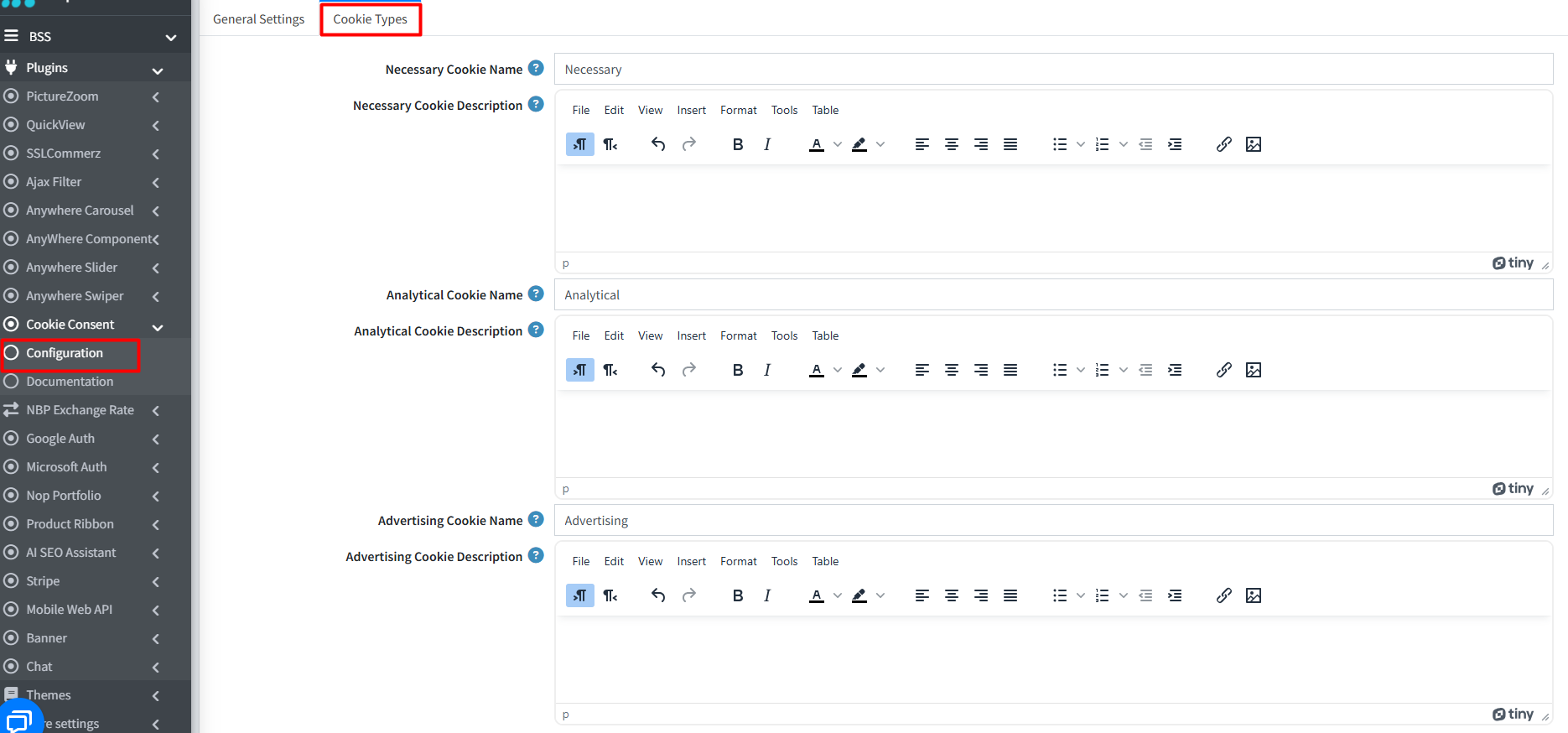
- Necessary Cookie: Enter name for the Necessary cookie type
- Necessary Cookie Description: You can add description for the Necessary cookie type
- Analytical Cookie Name: Set name for the Analytical cookie type
- Analytical Cookie Description: Add description for the Analytical cookie type
- Advertising Cookie Name: Name for the Advertising cookie type
- Advertising Cookie Description: Define description you want to set for Advertising cookie type
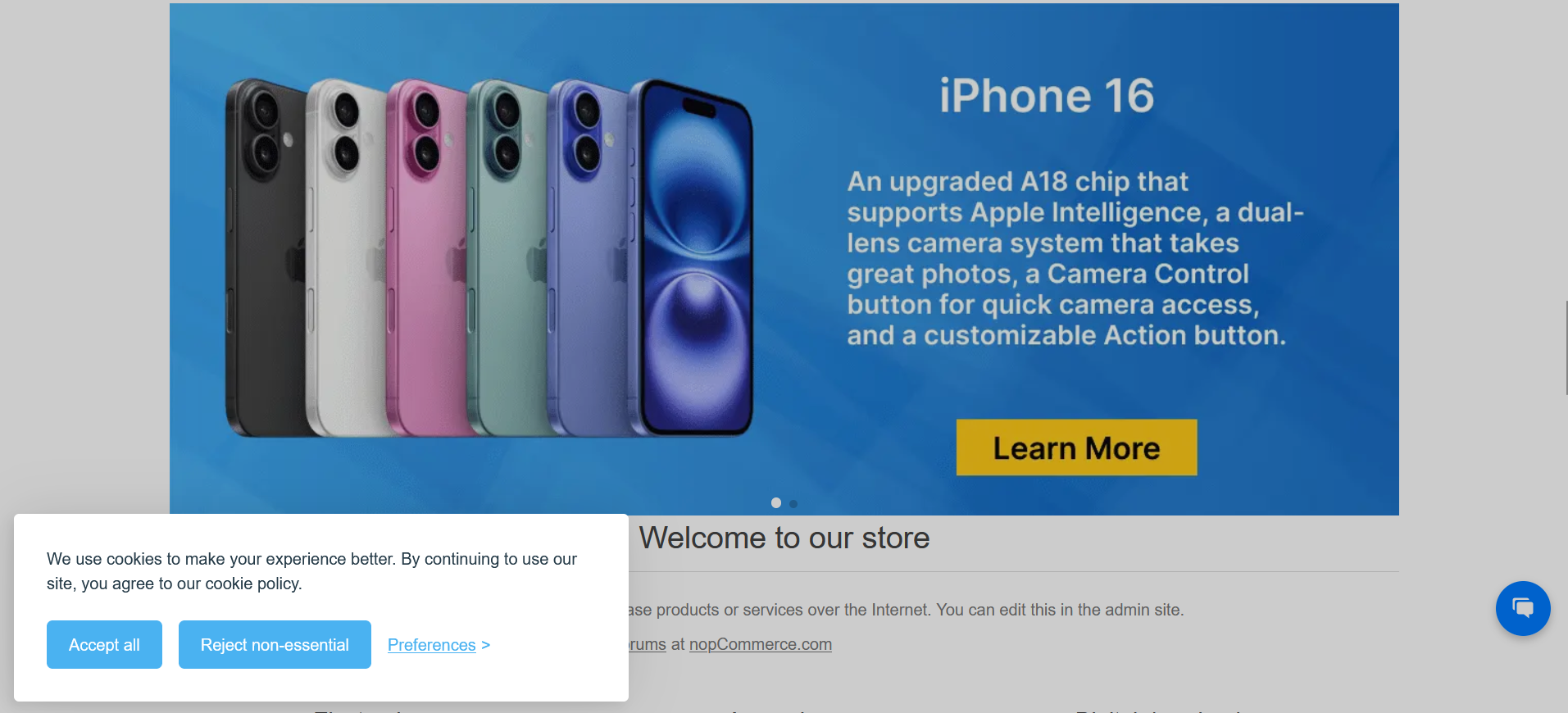
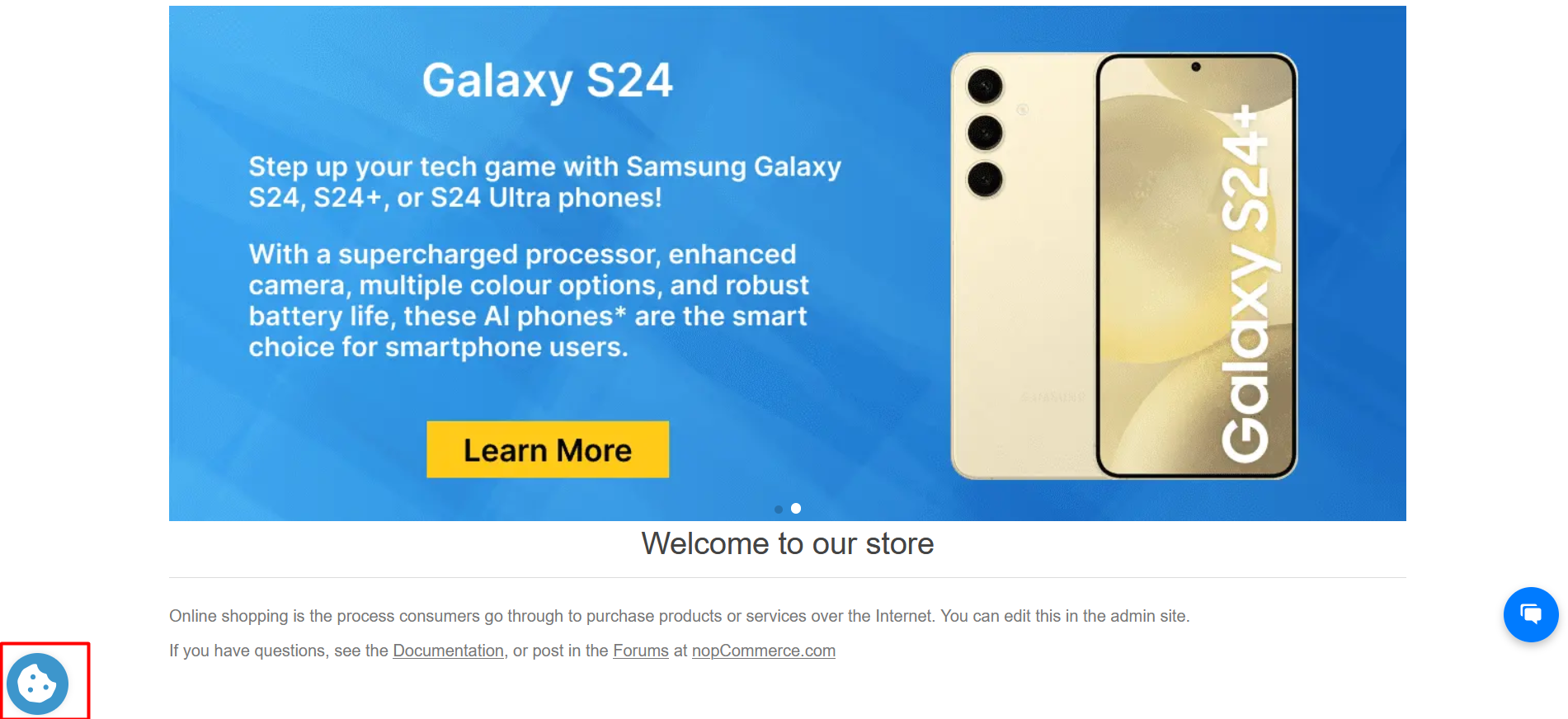
PUBLIC VIEW
FEATURES
- Minimal impact on website performance while running efficiently.
- Fully customizable banners, buttons, and modals to match your store’s design and branding.
- Supports Necessary, Analytical, and Advertising cookies with custom names and descriptions.
- Automatically blocks scripts until visitor consent is given, with clear opt-out options.
- Accessible and compliant with a11y standards; fully operable via keyboard and screen readers.
- Quick and easy installation with intuitive settings for effortless management of cookie preferences.
Documentation Menu
NopFashion Theme + 15 Plugin Bundle for NopCommerce
NopBeauty Theme + 12 Plugin Bundle for NopCommerce
NopNoor Theme + 16 Plugin Bundle for NopCommerce
NopGadget Theme + 18 Plugin Bundle for NopCommerce
NopEthnic Theme + 17 Plugin Bundle for NopCommerce
NopFurniture Theme + 19 Plugin Bundle for NopCommerce
NopPharma Theme + 16 Plugin Bundle for NopCommerce
NopVogue Theme + 17 Plugin Bundle for NopCommerce
NopGadence Theme + 18 Plugin Bundle for NopCommerce


